Forensic Video Review Built for Investigators

Forensic Video Review Built for Investigators

BraveWatch ThreatSight helps police departments, security teams, and investigators turn exported surveillance footage into searchable case evidence. Import video, run motion and object analytics, jump straight to events, and preserve review notes in a reusable project file.

Download for Windows Download for macOS Download for Debian/Ubuntu

Free 30-day trial included with every download.

Request a License Key

Different operating system? Contact us at support@brave.watch for more information.
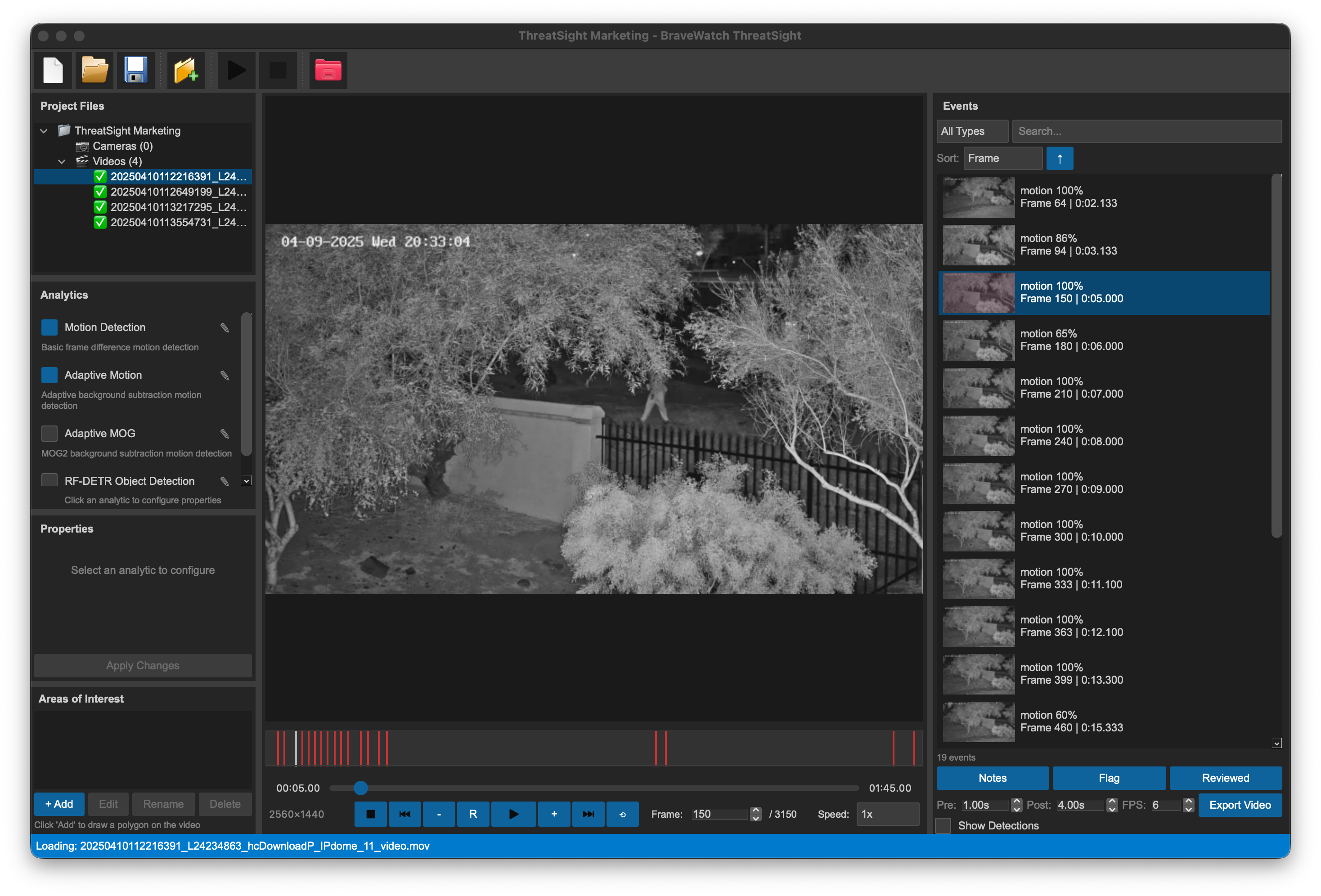
BraveWatch ThreatSight main workspace with project tree, video playback, hot frames graph, and event thumbnails

Stop Scrubbing Through Hours of Footage

Security video investigations can involve hours of footage, multiple camera exports, and repeated manual review. ThreatSight gives investigators a dedicated desktop workflow for organizing footage into cases, focusing analysis on areas of interest, detecting activity, and returning to important frames without reprocessing the same video again.

It is designed for downloaded or exported footage from security systems and network video recorders, with a workflow that keeps video files, events, notes, thumbnails, and analysis settings together in a persistent project.

Review Hours of Footage Faster

Use motion, adaptive motion, and AI object detection analytics to surface frames that deserve attention. The hot frames graph gives investigators a visual map of activity across the entire video so they can move from event to event instead of scrubbing blindly.

Keep Every Case Organized

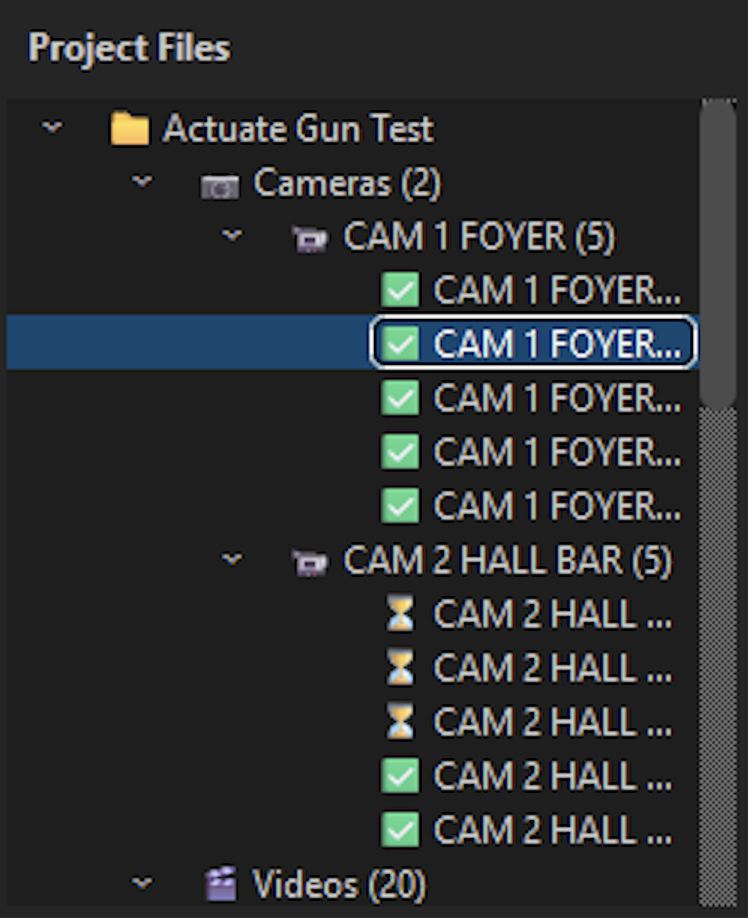
Create project files for investigations, add multiple videos, organize cameras into views, and save detected events for later re-review. Projects reopen with event data, thumbnails, notes, flags, and reviewed status intact.

Focus Analysis Where It Matters

Draw one or more areas of interest directly over the video. ThreatSight can generate mask files from polygons so analytics concentrate on doors, parking spaces, counters, entryways, or other relevant zones.

From Exported Video to Reviewed Events

1. Create a case project.
2. Add local video files or import footage from an NVR.
3. Draw areas of interest when only specific regions matter.
4. Select analytics and adjust detection settings.
5. Run analysis across one or more videos.
6. Review event thumbnails, timestamps, confidence values, and notes.
7. Jump from the event list or hot frames graph directly to relevant frames.
8. Flag, mark reviewed, and save the project for later re-review.
9. Enhance still frames when a clearer image is needed for documentation.

Case-Based Project Management

ThreatSight organizes forensic video work into project files so each investigation can be saved, reopened, and reviewed again without starting over.

  • New, open, save, save-as, and recent project workflows
  • Drag-and-drop video import
  • Multi-video selection for analysis jobs
  • Project tree with videos, views, event counts, and analysis status
  • Persistent project files with videos, polygons, analytics configuration, and events
  • Auto-save and backup support
ThreatSight project files pane with case project, camera videos, views, and event counts

Multi-Format Video Playback

Review exported footage in a flexible frame-based desktop video player. ThreatSight supports frame-level navigation, variable playback speed, reverse playback, loop mode, and keyboard shortcuts for fast review.

  • Video loading and frame extraction
  • Aspect-ratio preserving playback
  • Play, pause, stop, previous frame, and next frame controls
  • Reverse playback and loop mode
  • Speed options from slow review to fast scanning
  • Seek slider, frame number entry, and current time display
ThreatSight video player with playback controls, frame number, speed options, and hot frames graph

Analytics Built for Review Workflows

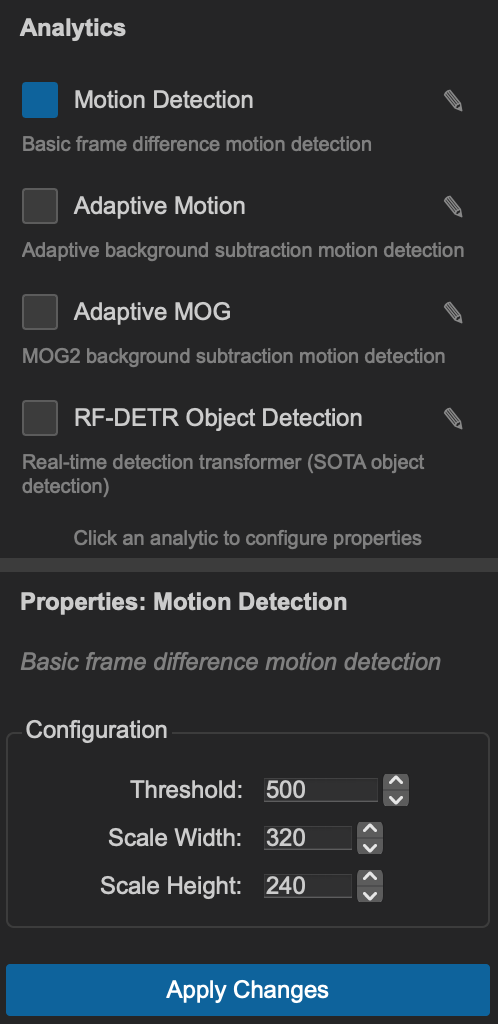
ThreatSight connects the desktop review experience to the BraveWatch analytics pipeline. Investigators can enable multiple analytics, adjust properties, and run analysis against one or more selected videos.

Supported analytics:

  • Motion Detection
  • Adaptive Motion
  • Adaptive MOG background subtraction
  • State of the Art RF-DETR Object Detection
  • Checkbox-based analytic selection with per-analytic configuration panel
  • Threshold, scale, history, class, model, and sampling controls where applicable
  • Sequential multi-video analysis queue with progress dialog and per-video status
  • Live event markers added during analysis, with stop/cancel support
ThreatSight analytics pane with motion, adaptive motion, adaptive MOG, and RF-DETR detection and properties

Area-of-Interest Analysis

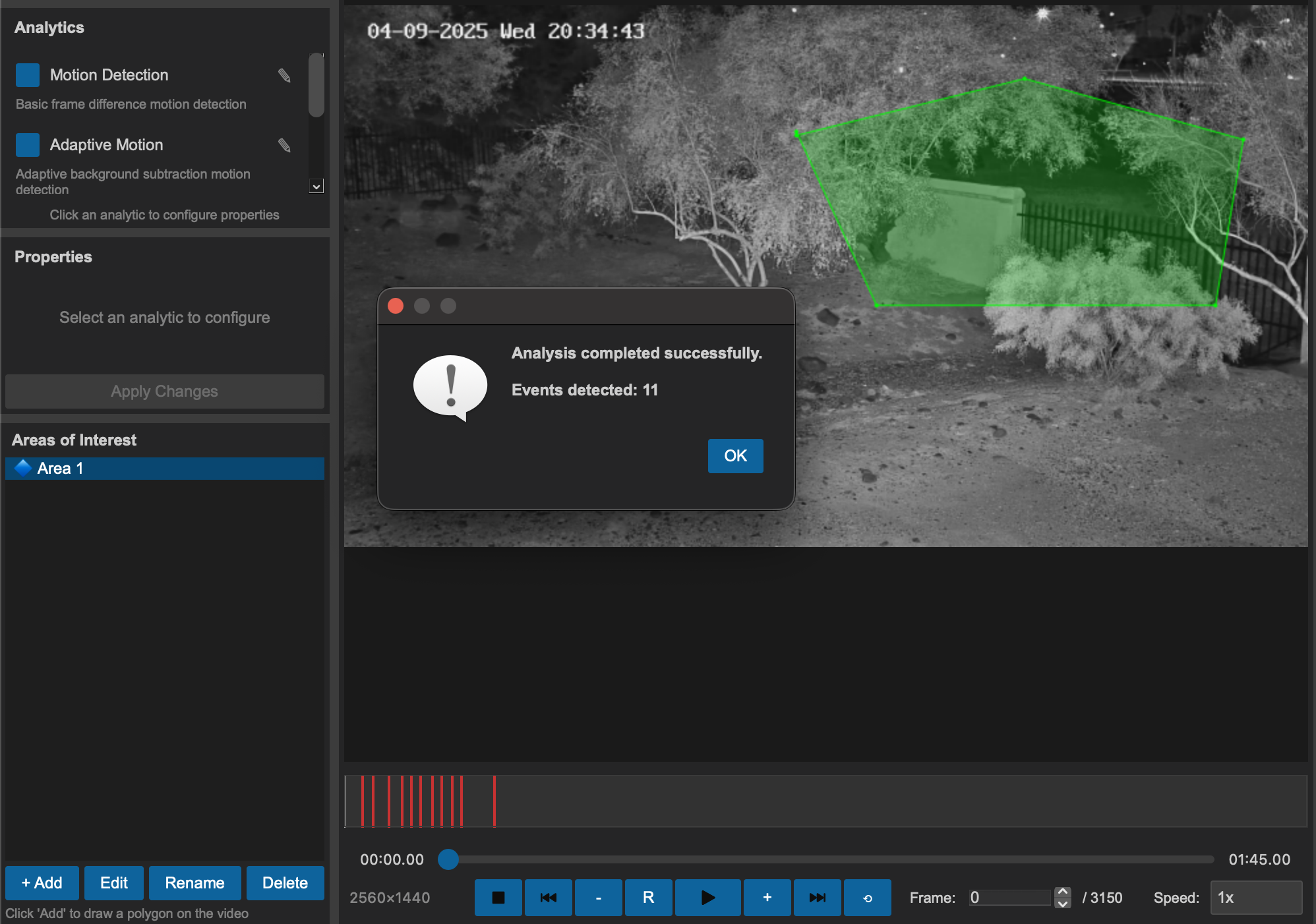
ThreatSight lets users draw polygons over video frames to define where analytics should focus. This is useful when the question is narrow, such as movement through a doorway, activity near a vehicle, or objects appearing in a restricted area.

  • Left-click polygon vertex placement, right-click polygon completion
  • Multiple named areas per video
  • Rename and delete area definitions
  • Color-coded polygons with selected-area highlighting
  • Mask image generation for analysis
ThreatSight area-of-interest polygons drawn over video zones

Hot Frames Graph

The hot frames graph turns event review into timeline navigation. Processed frames, unprocessed frames, current position, and detected events are color-coded so investigators can see where activity happened across the footage.

  • Timeline overview of the entire video
  • Red markers for detected events
  • Gray processed segments and black unprocessed segments during analysis
  • Click-to-seek frame navigation
  • Mouse wheel zoom and drag-to-pan support
  • Minimap-style viewport indicator when zoomed
  • Frame tooltips on hover
ThreatSight hot frames graph with detected event markers and zoomed timeline

Event Review and Notes

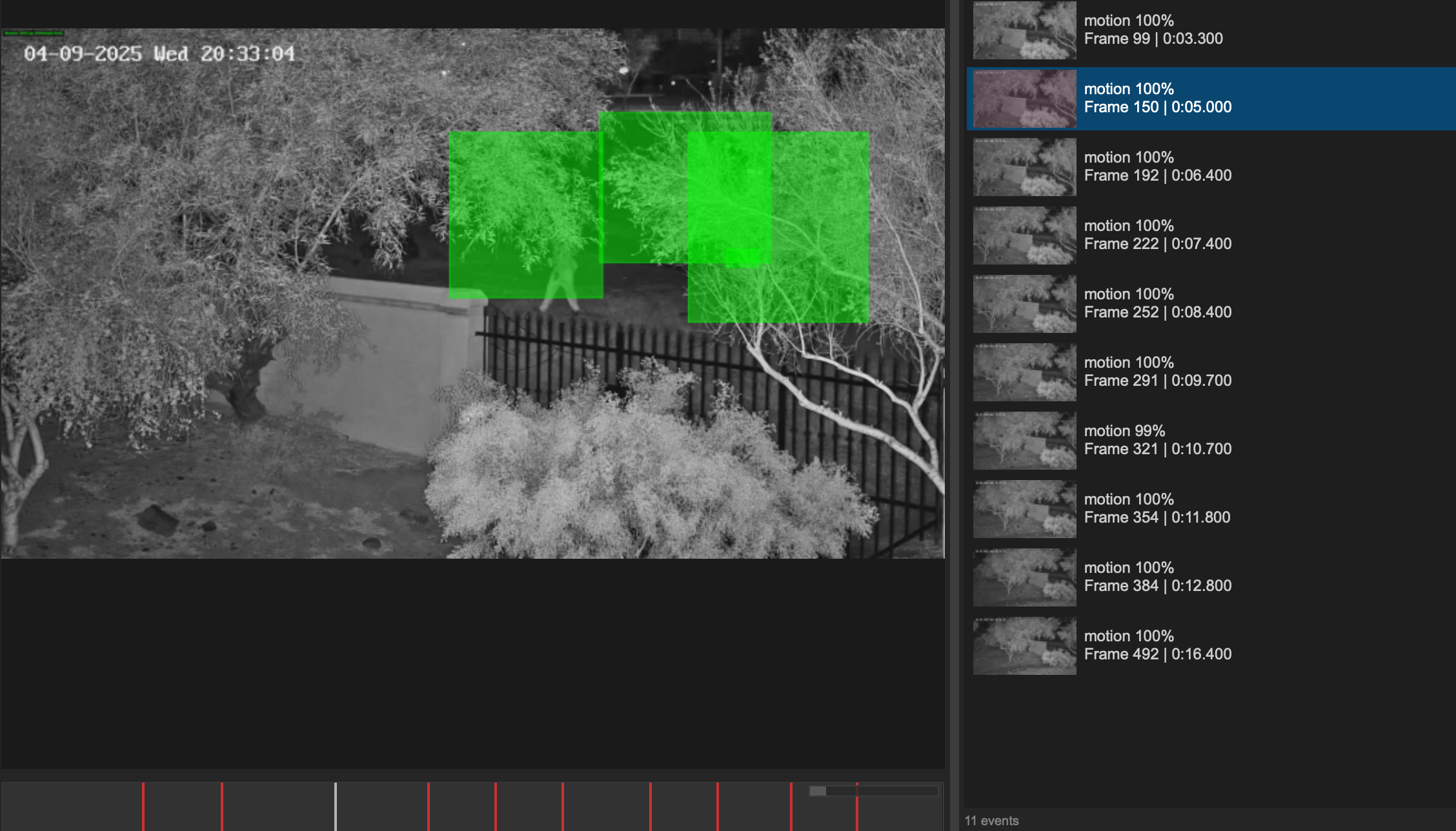
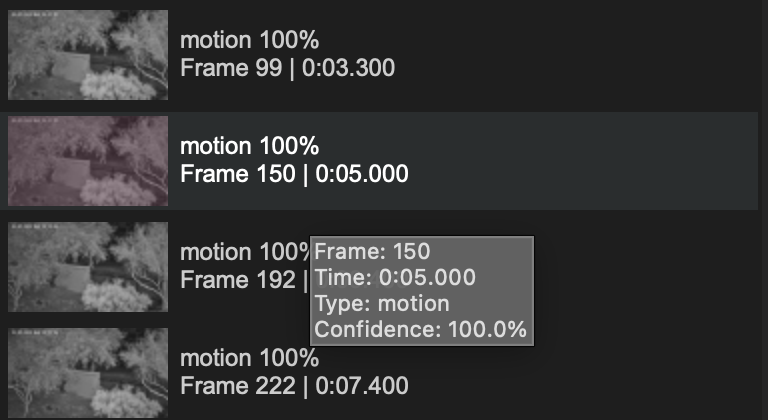
Detected events are saved as reviewable items with thumbnails, timestamps, frame numbers, event types, and confidence values. Investigators can sort and filter events, search notes, flag important moments, and mark reviewed items as complete.

  • Thumbnail event list
  • Filter by event type
  • Search event type, subtype, and notes
  • Sort by frame, time, confidence, or type
  • Add investigator notes
  • Flag events for follow-up and mark events as reviewed
  • Event counts for total, flagged, and reviewed items
ThreatSight events pane with thumbnails, confidence values, flagged and reviewed events, and notes

NVR Import

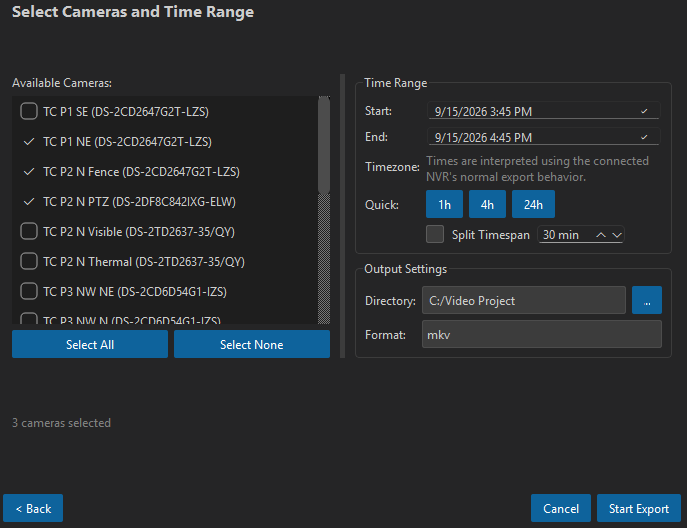
ThreatSight supports importing footage from recorder systems and cameras so investigators can start from the source system, choose exactly the footage they need, and bring the exported files into a case project.

Supported workflows: Nx Witness / Hanwha Wave, Hikvision, and Axis Camera.

  • NVR type selection with server, username, password, and SSL verification settings
  • Camera list loading with select all / select none controls
  • Start and end date/time selection and destination folder selection
  • Export progress tracking
  • Imported video files added to the active project
ThreatSight NVR import camera selection with start and end time and destination path

Image Enhancement

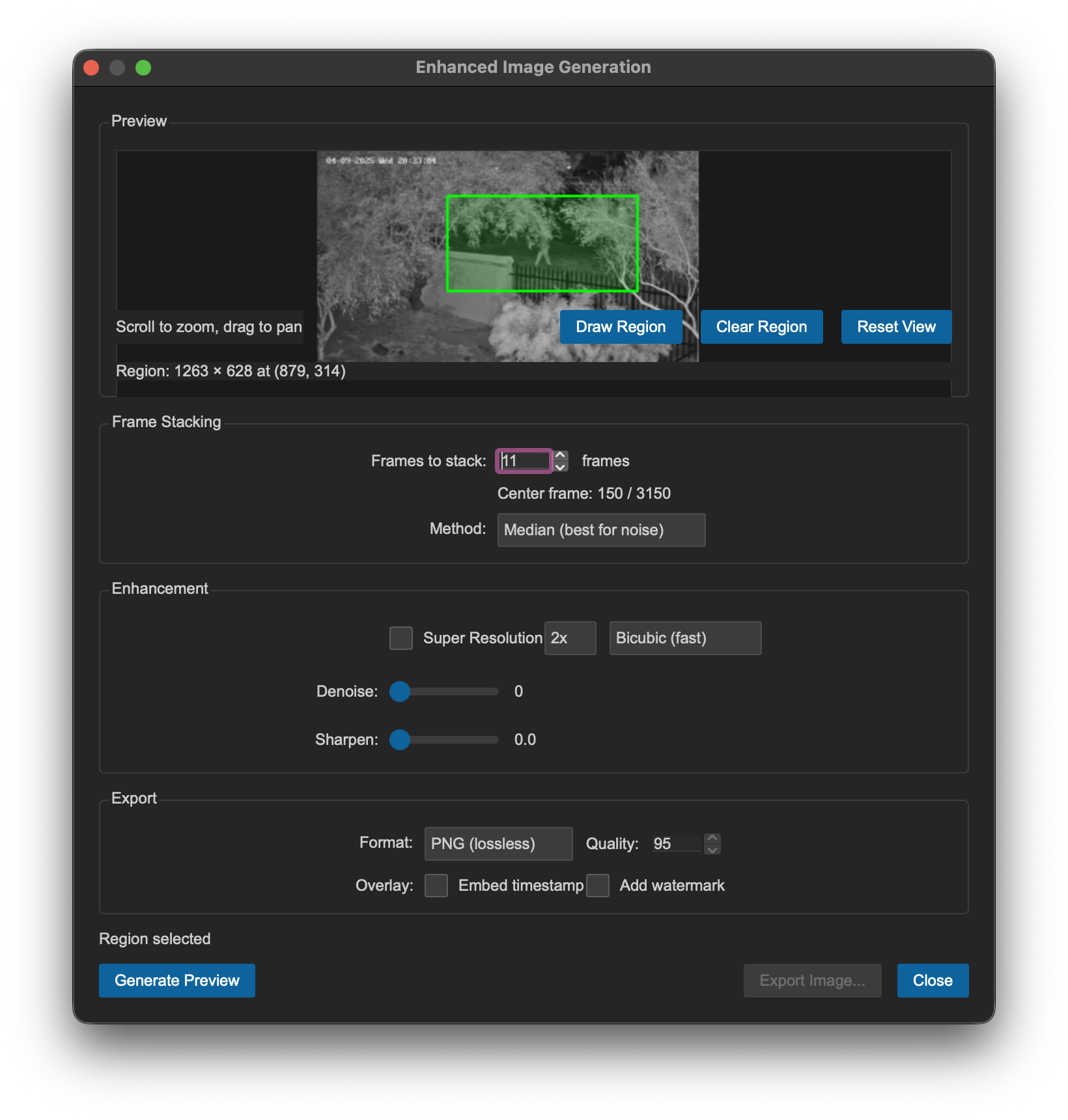
ThreatSight includes a still-frame enhancement workflow for cases where investigators need a cleaner image from video. Users can select a region of interest, stack nearby frames, apply optional super-resolution, and export the enhanced result.

  • Interactive region-of-interest selection with zoom and pan preview
  • Median, mean, weighted center, sigma clipping, max, and min stacking methods
  • Optional frame alignment
  • Classical interpolation and DNN-based super-resolution options
  • Denoise and sharpen controls
  • PNG, JPEG, TIFF, and WebP export options
  • Optional watermark and metadata sidecar support
ThreatSight image enhancement dialog with ROI selection, stacking method, and super-resolution

Cross-Platform Deployment

ThreatSight is built as a desktop application for Windows, Linux, and macOS environments, with packaging workflows for common deployment needs.

  • Windows installer support
  • Debian/Ubuntu package support
  • macOS app bundle
  • Bundled dependencies
  • Dark and light themes
  • Desktop integration and file association support

Trial, Licensing, and Activation

ThreatSight includes a 30-day trial and license activation workflow for managed deployments.

  • Automatic 30-day trial initialization
  • License and Activation dialog from the Help menu
  • Online and offline activation support
  • Machine-based activation tracking
  • Expiration warnings before the license term ends
  • Blocking activation dialog after expiration

Built for Teams That Review Surveillance Footage

ThreatSight is designed for workflows where video review needs to be repeatable, organized, and defensible.

  • Police departments reviewing exported surveillance footage
  • Investigators managing multi-camera case files
  • Security teams searching for activity in long recordings
  • Municipal, campus, commercial, and critical-infrastructure teams that need faster review of incident footage

Why ThreatSight

  • Purpose-built for forensic video review, not generic media playback
  • Persistent case projects preserve event data and investigator notes
  • Timeline-based event navigation reduces manual scrubbing
  • Area-of-interest masks help focus analytics on relevant regions
  • NVR import connects recorder export workflows to desktop analysis
  • Image enhancement tools are available inside the same investigation workspace
  • Cross-platform packaging supports varied agency and enterprise environments

Pricing & Licensing

$100 / year

Annual license for BraveWatch ThreatSight.

Download a free 30-day trial today, then request a license key below. We'll send an invoice and your key upon payment.

Request a License Key

Government & eligible public entities: BraveWatch can fulfill orders through Texas DIR Cooperative Contract DIR-CPO-5032. Customer Eligibility | Texas Department of Information Resources

Download BraveWatch ThreatSight

Get started with a free 30-day trial. Choose your platform below.

Windows macOS Debian/Ubuntu

Different operating system? Contact us at support@brave.watch for more information.
Request a License Key

Tell us about your deployment and we'll send an invoice, then your license key upon payment. Annual license: $100/year.

Thank you! Your license request has been sent successfully. We'll contact you soon with an invoice.
There was an error sending your request. Please try again.

Spend Less Time Scrubbing and More Time Reviewing What Matters

BraveWatch ThreatSight gives investigators a structured desktop workflow for importing footage, running analytics, reviewing events, and preserving case context for later re-review.

Start a 30-Day Trial
Request a License Key